
Bootloader could not connect error
If you receive a “Bootloader could not connect” error when updating your device, follow the steps below.
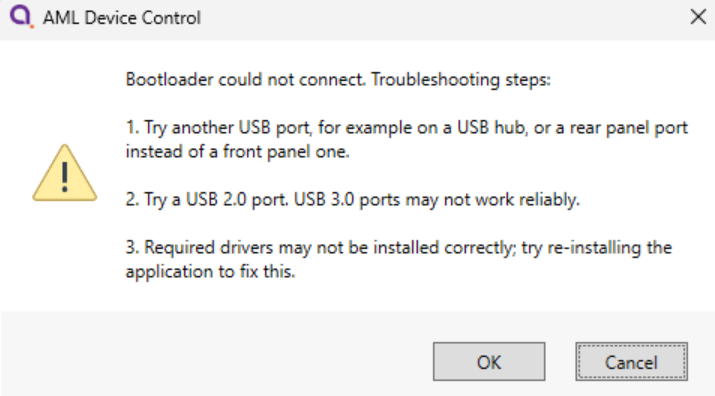
1. Make sure the device is connected to a USB 2.0 port. There are known issues when updating via a USB 3.0 port, particularly with certain driver versions.
2. Check your device has the correct drivers installed and selected. Leave the error message displayed, and open Device Manager. Look for a section called "Other devices". If you see one called "STM32 BOOTLOADER" or similar, with a yellow exclamation warning against it (as shown below), drivers are not correctly installed and configured.
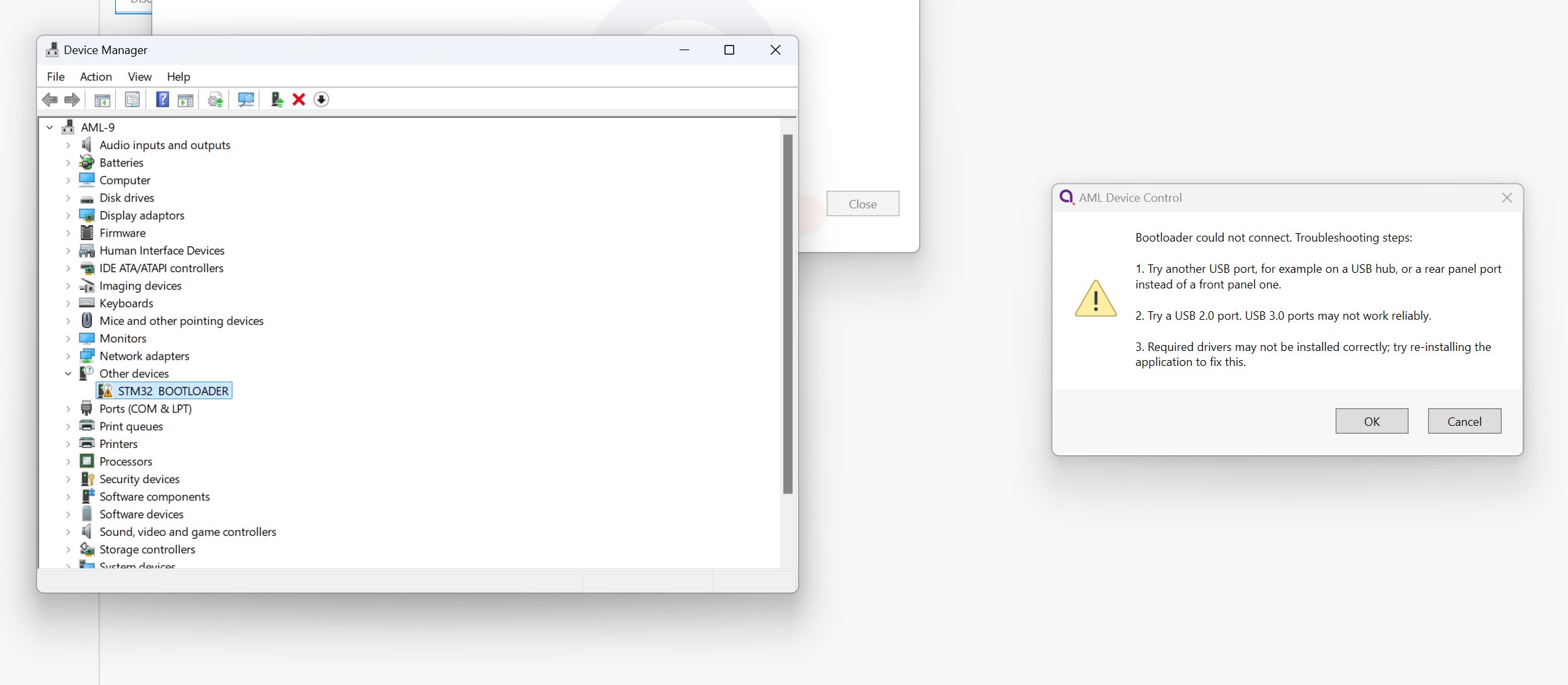
The easiest way to fix this is to reinstall the Device Control software, ensuring that the driver installation checkbox is selected: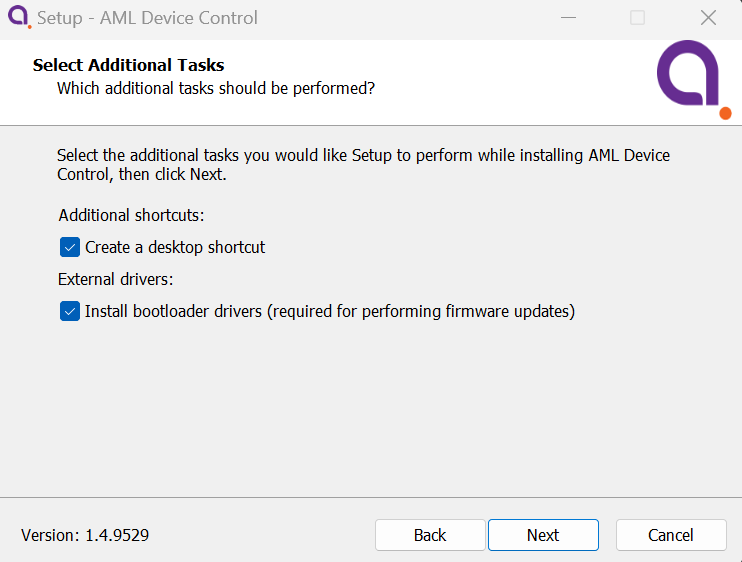
After reinstalling the software, retry the firmware update process. If you still experience issues, the drivers may be installed correctly but it is possible an incorrect driver is selected for the device. Follow these instructions to resolve.